Mailgun
This plugin adds the ability to send (and track) mails via Mailgun.
There is optional support for webhooks.
Installation
To install this module
composer require qore/mailgun
php artisan vendor:publish --tag=mailgun
php artisan tenants:migrate
Usage
To use this plugin
This plugin comes with settings you need to configure on the plugin page:
- Domain
- Secret
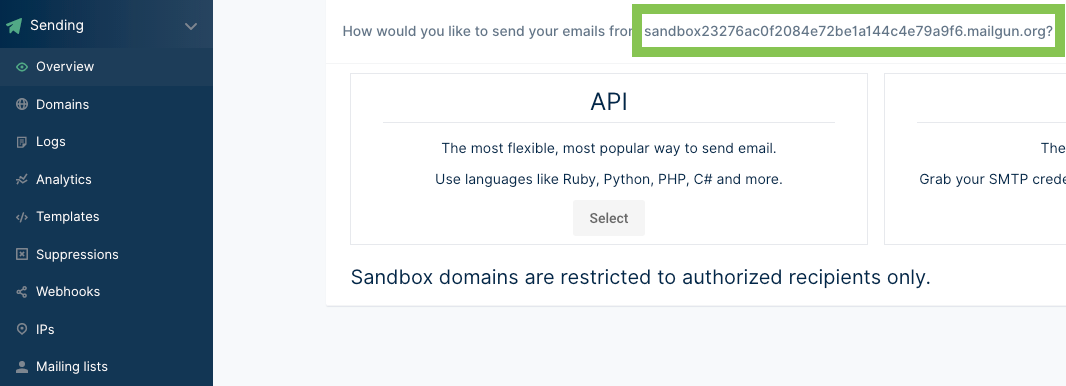
After logging in to app.mailgun.com, you can find your domain name here:
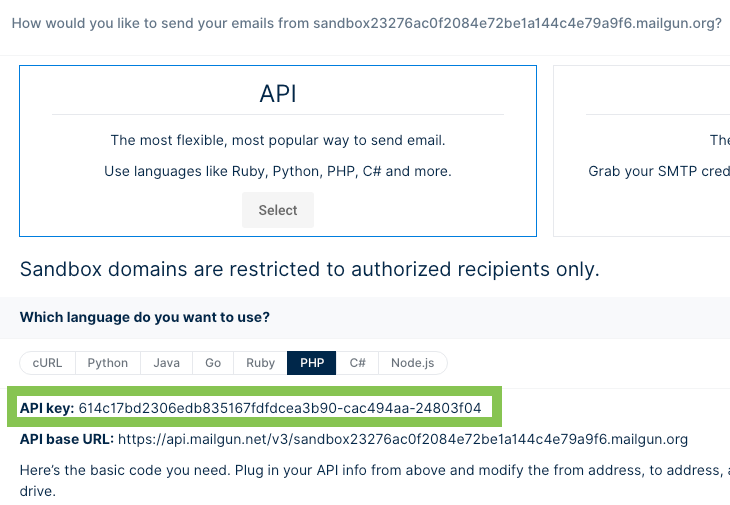
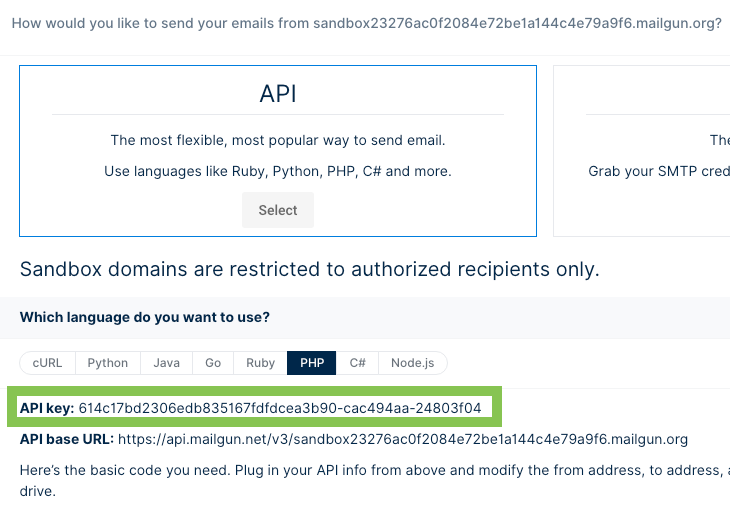
And the secret here:
Before you can test the connection, go to your domain in Mailgun and add an Authorized Recipient (e.g. koen@qlic.nl).
You will then receive an email to be able to subscribe to mailgun emails.
After enabling this plugin, you will now have the option to select Mailgun as a driver when creating/updating mail
templates.
Tracking via webhooks
Mailgun allows you to configure multiple webhooks to track data like if an email has been opened, reported as spam etc.
To enable all features, go to app.mailgun.com -> Sending -> Domain settings -> Tracking -> Enable everything.
Next, go to Sending -> Webhooks -> and add webhooks. This plugin has preconfigured the following routes:
Route::post('clicks', [MailgunWebhookController::class, 'clicks']);
Route::post('deliveries', [MailgunWebhookController::class, 'deliveries']);
Route::post('opens', [MailgunWebhookController::class, 'opens']);
Route::post('spam', [MailgunWebhookController::class, 'spam']);
Route::post('unsubscribes', [MailgunWebhookController::class, 'unsubscribes']);
Route::post('permanent-failure', [MailgunWebhookController::class, 'permanentFailure']);
Route::post('temporary-failure', [MailgunWebhookController::class, 'temporaryFailure']);
To receive webhooks, make sure you expose your local webserver, for example:
expose share localhost:8000 --subdomain=qore
Then for the webhook the url may look like this:
https://qore.expose.qlic.nl/api/mailgun/clicks
If all is working correctly, you may enable API columns to see the tracking data on sent messages:
Using multiple domains
In some cases you might want to send mails from different domains. You can achieve this by passing metadata when sending e-mails or creating mail messages:
QoreMail::send(
    'Password is reset',
    [$user->id],
    [
        'user' => [
            'name' => $user->name,
            'email' => $user->email,
            'requires_password_confirmation' => $requiresPasswordConfirmation
        ],
        'password' => $password
    ],
    null,
    [
        // Here:
        [
            'mailgun_domain' => $somedomain
        ]
    ]
);
If you create mail messages manually, make sure to fill the metadata column with this array
Upgrade Guide
To upgrade this plugin
composer update qore/mailgun
If you need to upgrade migrations or Vue components:
php artisan vendor:publish --tag=mailgun --force
Release notes
All notable changes will be documented here.
0.8.0 (Dec 28, 2021)
Features
- Add initial release